Mechanical Dimensions and External Interfaces
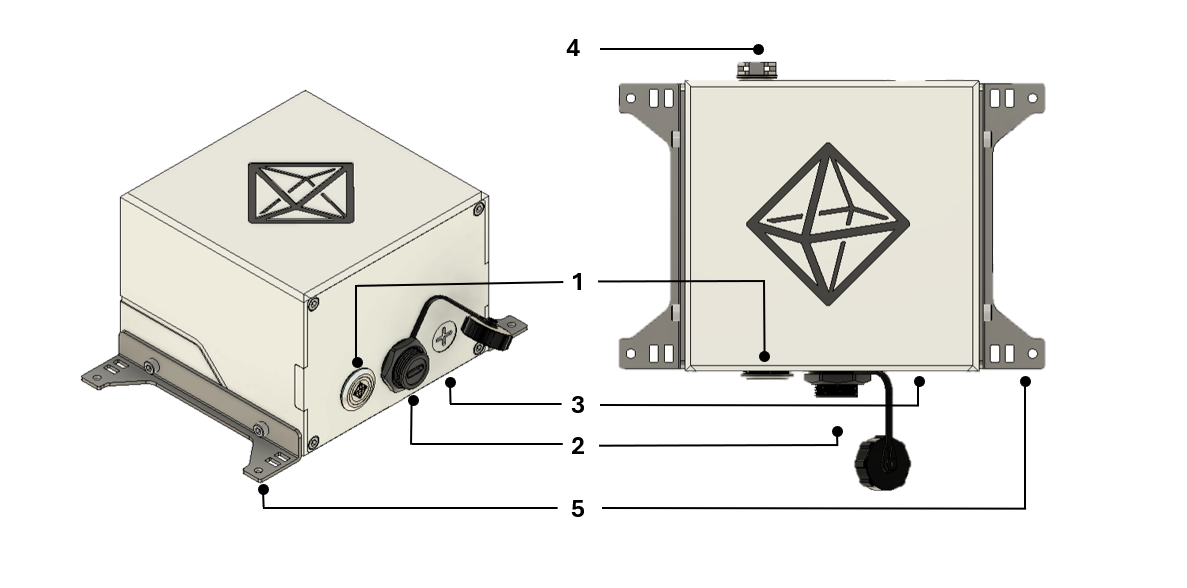
| Item | Name | Description |
|---|---|---|
| 1 | LED Button | The LED button displays the current status of the FOSSA Nexus and can also be pressed to trigger specific actions depending on the operational context. |
| 2 | USB-C waterproof connector | The USB port serves as the power source for the FOSSA Nexus. |
| 3 | Drill guide for PG7 cable gland (if needed) | This is intended solely for routing cables through the wall into the node enclosure, typically for the integration of external sensors. |
| 4 | Gore pressure vent | The pressure vent regulates internal pressure and humidity to prevent condensation. |
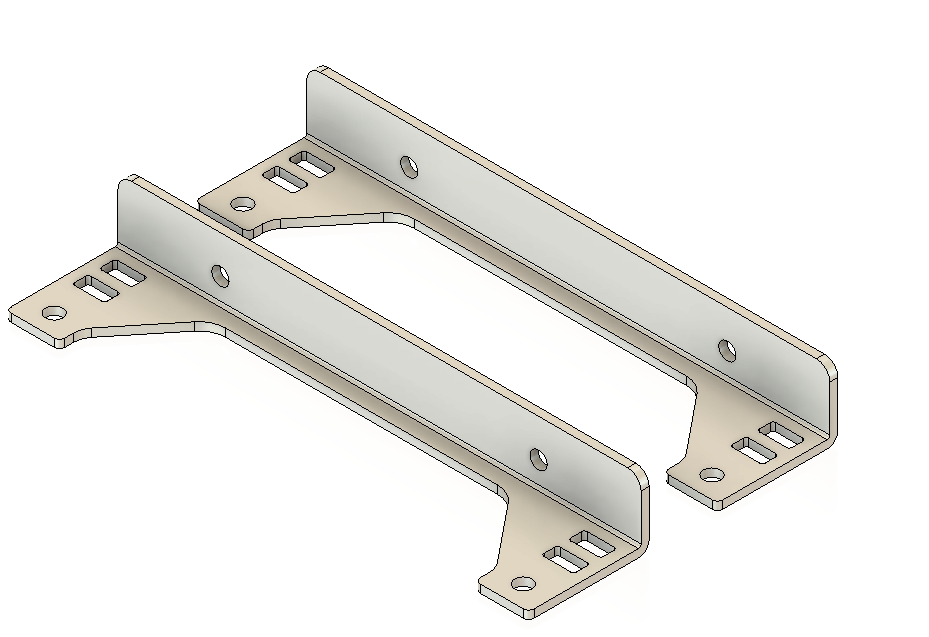
| 5 | Mounting accessory | The mounting accessory allows for secure and straightforward installation of the node on flat horizontal surfaces. |
The FOSSA Nexus features a durable ASA enclosure that houses all internal circuitry, resulting in a total weight of approximately 300g. The ASA material provides exceptional resistance to rain and UV radiation, ensuring long-term outdoor reliability without degradation. The enclosure’s design enhances mechanical stability, supports thermal management through a pressure vent, and allows secure mounting via compatible accessories for diverse installation environments.
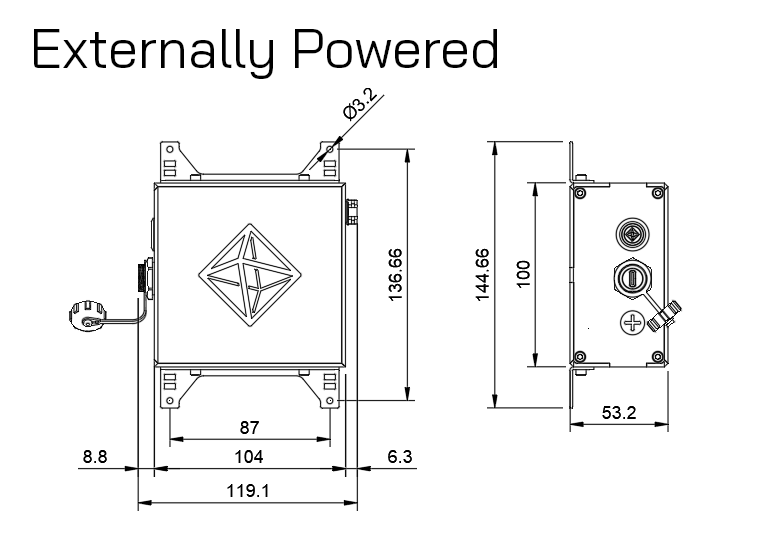
Mechanical drawings
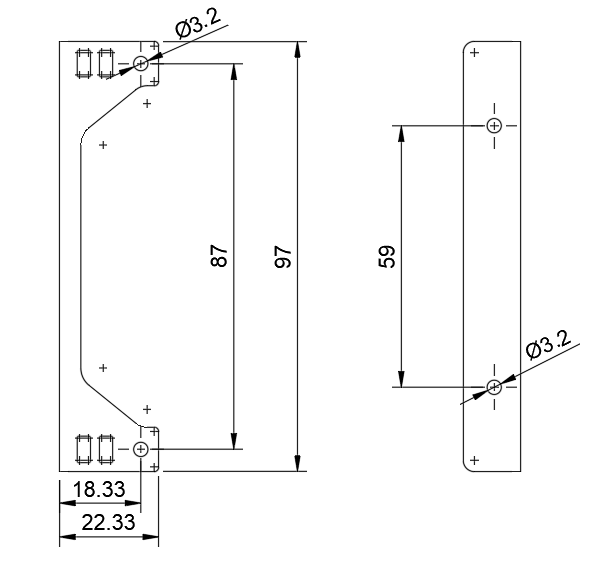
Mounting Accessory
Drawings
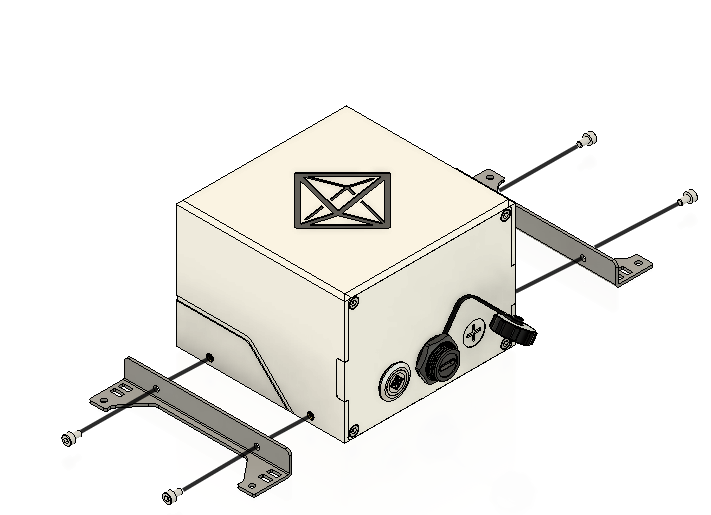
Assembly and Installation
To ensure optimal performance and long-term durability, follow the guidelines below when installing the device's mounting accessories:
- Use the four M3 screws shown in the image to fix the mounting accessories to the FOSSA Nexus' box.